Group buy
Open the link and you see the product, the group progress, and the deadline.
Your choice
Ezily only turns on analytics cookies once you agree, to see which pages actually help. No ad personalization, ever. Change your choice anytime in the footer.
See how we use your dataCustomers arrive from a quiz, an in-store QR scan, or a group buy link. Touchpoints lets you set the interaction, the product details, and the checkout to fit that moment.
A little more, together.
See the group before you join.
Group buys, product picks, member invites. Each customer came for something different.
Touchpoints Checkout puts the product, the activity details, and the order in one place.
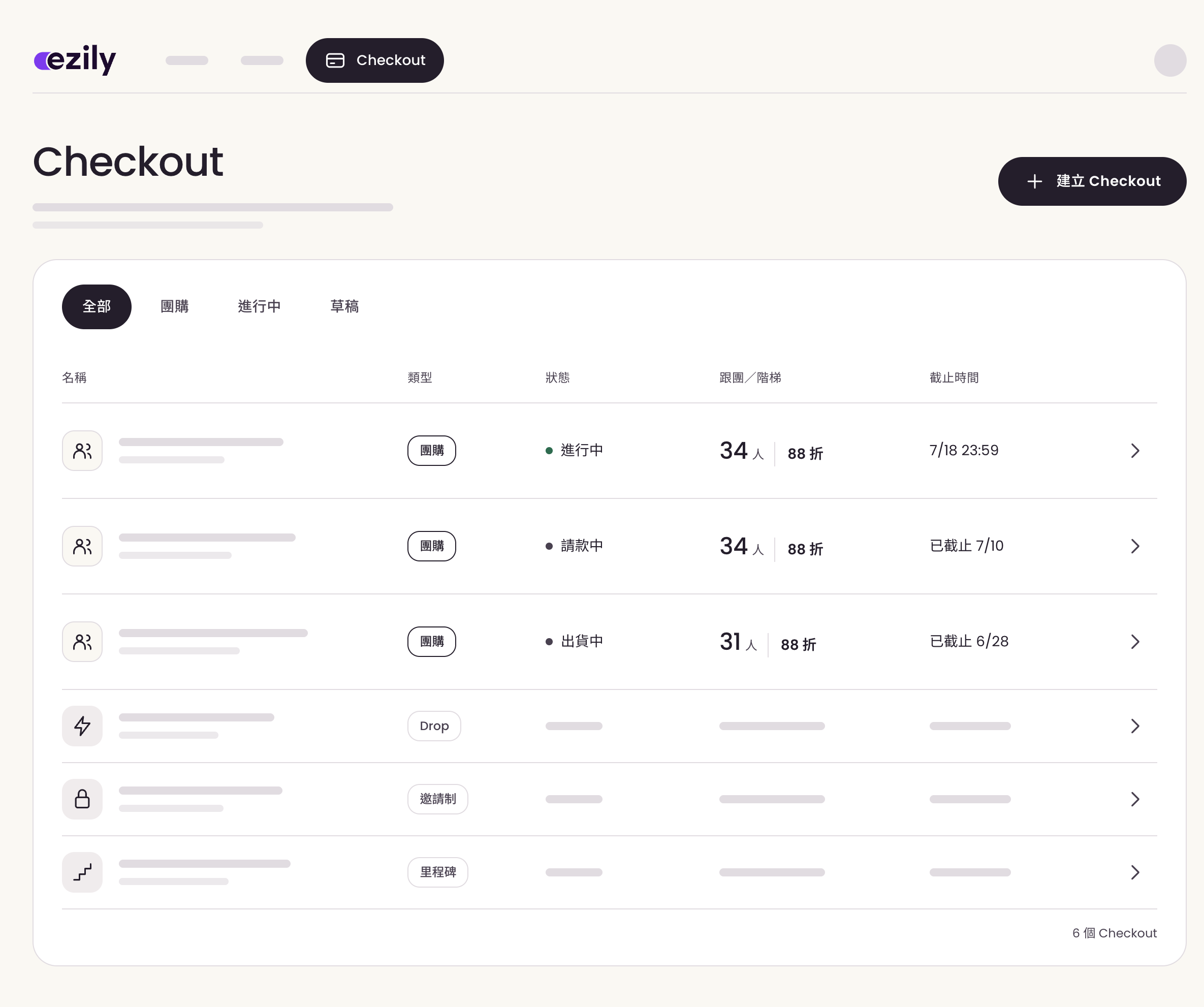
Checkout group buy manager interface
Open the link and you see the product, the group progress, and the deadline.
The countdown and stock sit next to the product, so customers know when it ends.
Member tags decide who gets in, and invited members see exclusive items.
Some start with a quiz or a scan. Others go straight to the buying page for a group buy or VIP event.
Customers answer a few questions, or scan the QR code on the packaging to collect points.
Based on what they chose, invite them to related products or activities.
The product and the activity details sit together, so they order once they've chosen.
Note what they bought, and tell them next time something fits.
Customers answer a few questions, and the brand recommends the right products. They buy straight from the results, without going back to the site to search.
What are you looking for?
A set selected for a simple daily routine.
See the buying flowIllustrative product discovery.
A customer buys in store and scans the QR code on the packaging to collect points in LINE. The brand knows what they bought, then sends a related group buy link they can order from.

Illustrative in-store interaction.
Product quizzes, product scans, and member tags help you learn what customers like.
See how engagement worksWhat they asked, viewed, and bought gives the next recommendation something to go on.
Tools for knowing your customerTouchpoints gives group buys, flash sales, and VIP events each their own buying experience.
| Just a plain product page | With Ezily Touchpoints |
|---|---|
| Group buys and member activities all point to the same product page. | Every activity can show its own products and details. |
| Group progress and deadlines still live back in the messages. | Group progress and the deadline sit with the product. |
| Next time you open a group buy, you don't know who to notify. | See what customers chose and bought, and decide who to notify next. |
Tell us about your group buys, member events, or the buying ideas your current site can't handle, and we'll work out the right way for customers to order.
Talk with us